Smart School provides a WhatsApp Messaging feature that allows schools to send important notifications such as Student Login Credential, Staff Login Credential, Student Admission and other system notifications directly to users via WhatsApp.
Smart School supports two WhatsApp service providers:
- Meta WhatsApp Official
- Twilio WhatsApp
1. Meta WhatsApp Official Configuration
Meta WhatsApp Official uses the official WhatsApp Business API provided by Meta (Facebook).
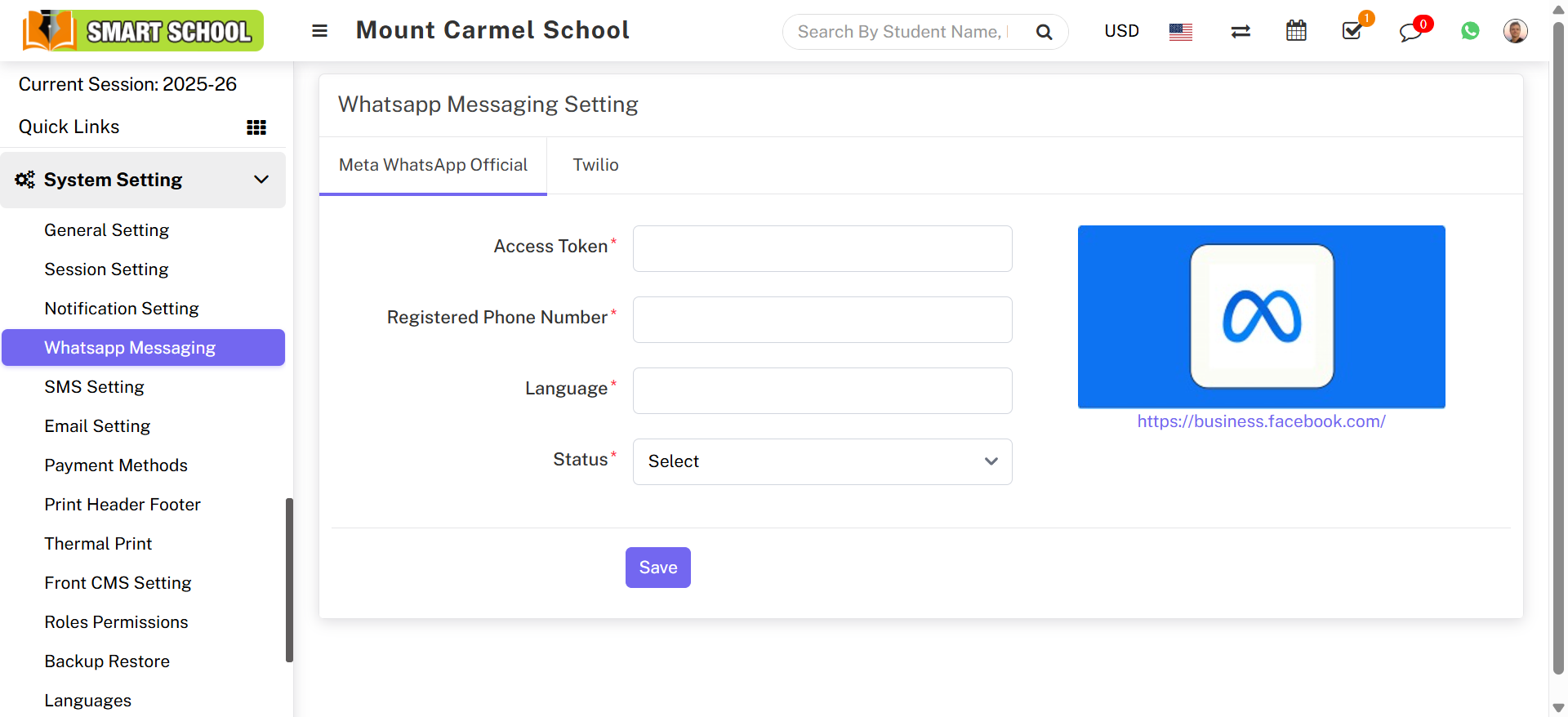
Steps to Configure Meta WhatsApp:
- Go to System Settings → WhatsApp Messaging Setting
- Select the Meta WhatsApp Official tab
- Enter Access Token, Registered Phone Number, Language, and Status
- Click Save
Note:
Meta WhatsApp requires Facebook Business verification and approved WhatsApp templates.
2. Twilio WhatsApp Configuration
Twilio is a third-party cloud communication platform that supports WhatsApp messaging.
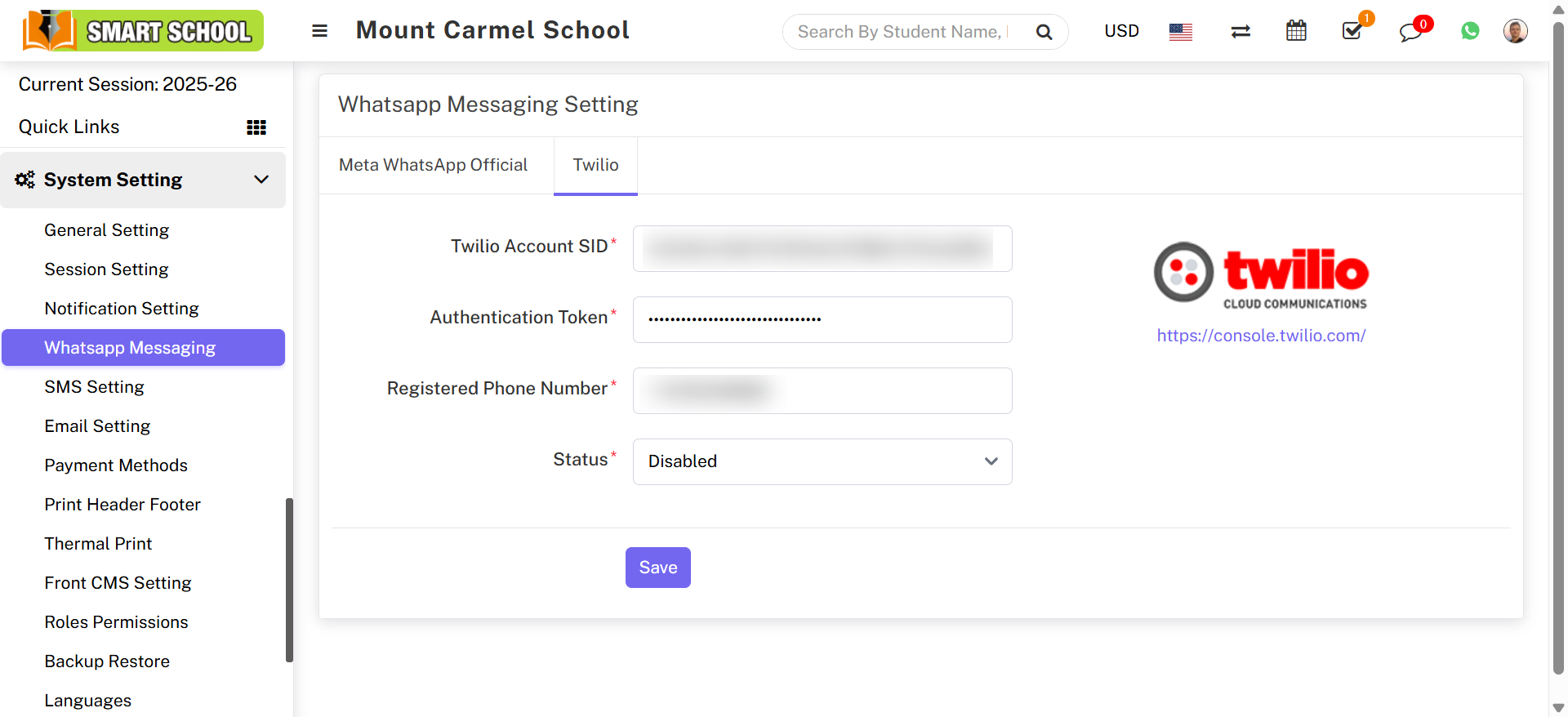
Steps to Configure Twilio WhatsApp:
- Go to System Settings → WhatsApp Messaging Setting
- Select the Twilio tab
- Enter Account SID, Authentication Token, Registered Phone Number, and Status
- Click Save
Meta WhatsApp vs Twilio WhatsApp
Meta WhatsApp Official: Official WhatsApp Business API
Twilio WhatsApp: Third-party WhatsApp API
Important Notes:
- Only one WhatsApp provider should be enabled at a time
- Phone number must be WhatsApp approved
WhatsApp Notification Templates
After configuring Meta WhatsApp or Twilio WhatsApp, WhatsApp messages will work only with approved templates.
Go to: System Settings → Notification Setting
Open any notification event and enter the approved WhatsApp Template ID or Template Name.
Without an approved template ID, WhatsApp notifications will not be sent.